how-to-read-a-solar-panel-meter

Once your solar panel system is installed and activated, monitoring its performance becomes essential for optimizing energy production and identifying any issues early. The solar panel meter—typically a digital display mounted near your inverter—shows critical information about how much electricity your panels are generating, storing, and using. Understanding how to read and interpret these readings empowers you to track your system’s health and maximize your return on investment.

This guide explains the key metrics displayed on solar meters, how to interpret different reading types, what constitutes normal versus unusual performance, and how to use meter data to troubleshoot problems.

Understanding Your Solar Panel System Components

Before reading your solar meter, it’s helpful to understand the equipment generating and displaying those readings.

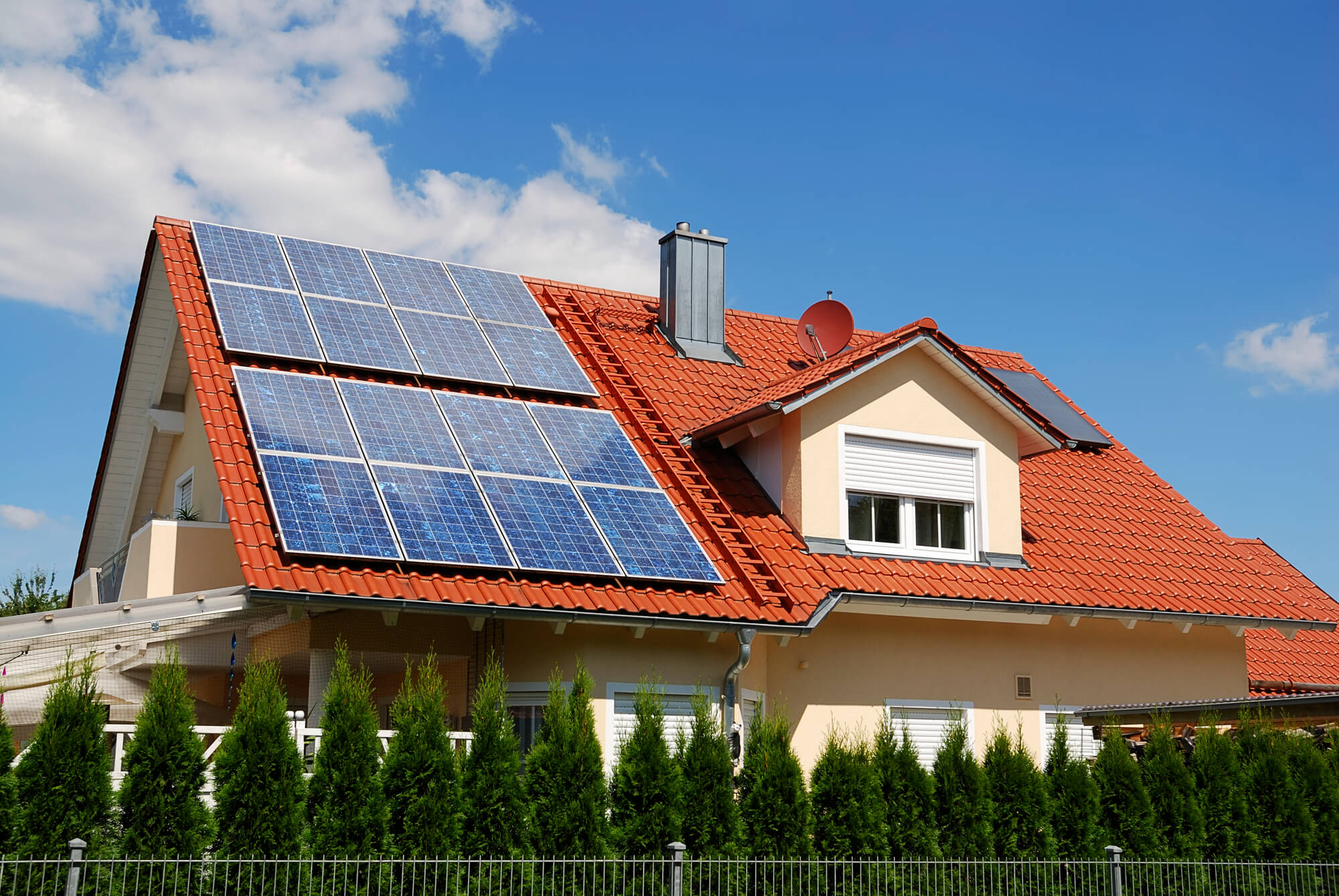
Solar Panels: These are mounted on your roof or ground and convert sunlight directly into direct current (DC) electricity. Panels don’t have displays; they simply generate power proportional to available sunlight.

Solar Inverter: The inverter is the critical component that converts DC electricity from the panels into alternating current (AC) electricity used throughout your home and grid. Most inverters include a built-in digital display showing real-time performance data. Some advanced inverters communicate with a separate display, Wi-Fi gateway, or smartphone app.

Net Metering Meter (Grid-Connected Systems): If your system is grid-connected, your utility company installs a bidirectional meter that tracks both energy you consume from the grid and excess energy you send back. This meter is typically mounted on the outside of your home where the utility can monitor it.

Battery System Monitor (Battery-Equipped Systems): If your system includes a battery backup (like a Tesla Powerwall), you’ll have a battery monitor display showing charge level, charge/discharge rate, and backup status.

A complete solar system might have multiple displays: inverter screen, utility net meter, battery monitor, and a smartphone app. Learning to read all three helps you understand the complete picture of your energy production and consumption.

Key Metrics on Your Inverter Display

Your inverter display shows several crucial pieces of information. The exact layout varies by manufacturer (SMA, Fronius, Enphase, SolarEdge, etc.), but the core metrics are consistent.

Current Power Output (kW or W): This is the real-time power being generated right now, displayed in kilowatts (kW) or watts (W). On a sunny morning, this might show 3.5 kW. On a cloudy afternoon, it might show 0.5 kW. At night with no sun, it shows 0.0 kW. This real-time number changes constantly as clouds pass, sun angle shifts, and dust accumulates on panels.

Current power output fluctuates throughout the day in a predictable pattern: near zero at sunrise, ramping up through late morning, peaking around midday, then decreasing toward sunset. A sudden drop to zero during daylight indicates a problem (cloud cover, string disconnect, inverter fault, or system shutdown for maintenance).

Total Daily Energy Generation (kWh): This cumulative counter shows how much electricity the system generated today from midnight to now. At sunrise, it reads 0.0 kWh. By mid-afternoon on a clear day, it might show 12–15 kWh (for a 6–8 kW system). At sunset, it shows the day’s total. This number resets at midnight and starts over the next day.

Daily energy is more stable and meaningful than instantaneous power. A sunny day consistently produces high daily totals (relative to your system size). Cloudy days show lower totals. Comparing daily production across multiple days reveals seasonal patterns and system health.

Total Lifetime Energy Generation (MWh or kWh): A cumulative counter of all energy ever generated, from system activation until now. For a 5-year-old system, this might read 45,000 kWh (9,000 kWh per year average). This counter never resets and is crucial for calculating system payback and ROI. Record this number annually for your financial tracking.

Inverter Temperature: Most inverters display their internal operating temperature, typically 40–70°C under normal conditions. Inverters shut down if temperature exceeds maximum limits (usually 85–95°C) to prevent damage. High ambient temperature, poor ventilation, or system overload can cause temperature rises. Persistent high temperatures indicate ventilation problems or undersized equipment.

Inverter Status and Error Codes: The display shows operational status: “Ready,” “Running,” “Standby,” or error codes like “E001,” “F02,” etc. Status should normally be “Running” during daylight with sunlight. Persistent “Standby” or error states indicate investigation is needed. Consult your inverter manual for specific error meanings, or contact your installer.

Understanding Net Metering Displays

Grid-connected solar systems use a bidirectional utility meter that records both energy consumed from the grid and excess energy sent back to the grid. Understanding these readings is critical for net metering policy evaluation.

Consumption Meter Reading: Shows kilowatt-hours consumed from the grid (your normal electric usage when solar isn’t generating or when consumption exceeds solar output). This number increases throughout the day as you use appliances. It’s the same unit as your pre-solar meter.

Generation Meter Reading (or Net Meter): Tracks excess solar electricity sent back to the grid. When your panels generate more than your home uses, the surplus flows backward through the meter. This reading increases whenever solar output exceeds home consumption. A system with significant daytime solar production and minimal daytime consumption quickly builds up high generation readings.

Net Balance (kWh or Billing Concept): Under net metering policies, the utility credits you for excess generation. The net balance is the difference between electricity you sent to the grid minus electricity you consumed. If you generated 500 kWh in a month and consumed 400 kWh, your net balance is +100 kWh (a credit). In the next month when you draw more from the grid than you generate, the credit is applied first.

Read your utility meter monthly to track net metering performance. Compare generation (excess) to consumption to understand whether your system is sized appropriately for your usage patterns. A well-sized system should generate more annually than you consume, creating annual credits.

Understanding NEM 3.0 Changes: In some regions (particularly California), newer net metering policies (NEM 3.0) value excess generation less than previously. Under NEM 2.0, excess generation was credited at the full retail rate. Under NEM 3.0, credits are at a lower “avoided cost rate”. This doesn’t change how to read your meter, but it affects the financial value of excess generation. Your utility bill will specify which rate you’re under.

Monitoring Real-Time Production via Apps and Portals

Modern solar systems include wireless monitoring through manufacturer apps or web portals. These tools provide far more detailed analysis than physical meter displays.

Enphase Enlighten App: For systems with Enphase microinverters, the app shows real-time power from each microinverter, daily energy totals, and lifetime production with excellent historical data. You can zoom into specific days or times to see production curves.

SMA Sunny Portal: For systems with SMA inverters, Sunny Portal displays production graphs, weather conditions, and performance metrics with day/month/year comparisons. You can see exactly when production peaked and identify shading patterns.

SolarEdge Monitoring: Systems with SolarEdge inverters offer detailed module-level monitoring, showing output from each panel individually. This reveals if specific panels underperform due to shading, soiling, or faults.

Fronius Solar.web: For Fronius inverters, Solar.web displays real-time and historical data with excellent weather overlays. You can correlate production dips with actual cloud cover or rain events.

Smartphone apps are superior to physical displays for detailed analysis. Use your inverter manufacturer’s app to check production daily, spot unusual patterns, and compare your system to weather forecasts.

Interpreting Daily Production Patterns

Healthy solar systems follow predictable daily patterns. Learning to recognize normal behavior helps you spot problems quickly.

Clear Sunny Day: Production starts near zero at sunrise (~6–7 AM depending on latitude and season). It ramps quickly through mid-morning, peaks around solar noon (12–1 PM), then gradually decreases through afternoon and evening. The production curve resembles a smooth bell curve or inverted “U” shape. A 6 kW system on a clear day typically generates 25–35 kWh depending on season and latitude.

Partly Cloudy Day: Production still rises from sunrise to midday but with visible dips when clouds pass over. The curve is jagged rather than smooth. Production never reaches the peak of a clear day. Daily total might be 12–20 kWh for a 6 kW system.

Mostly Cloudy Day: Production remains consistently low (5–10 kW peak for a 6 kW system). Daily total might be 5–8 kWh. The production curve is relatively flat instead of bell-shaped.

Rainy Day: Production is minimal and often stays below 1 kW all day. Daily total might be 1–2 kWh. This is normal and not a system failure.

High-Altitude Clear Day: At elevations above 5,000 feet, clear days produce noticeably more energy than sea-level equivalents due to thinner atmosphere and reduced haze. A 6 kW system at high elevation might exceed 40 kWh on a clear day.

Compare your actual production curves to these patterns. If your system doesn’t follow expected curves for your location and season, something may be wrong.

Identifying Abnormal Readings and Troubleshooting

Abnormal meter readings signal problems requiring investigation or professional service.

Zero Production During Daylight: If your inverter shows 0 kW output despite clear sunny weather, check: (1) Inverter is powered on (flip the AC and DC breakers off and back on after 30 seconds), (2) Inverter display is actually showing generation data (not an error code), (3) No shade is blocking panels, (4) No visible damage to wiring or equipment. If zero production persists after a reboot, contact your installer.

Unexpectedly Low Production on Clear Days: Check for: (1) Soiling (dust, pollen, bird droppings) on panels—clean gently with soft cloth and deionized water, (2) New shade from nearby trees or construction, (3) Panel tilt adjustment (south-facing roof only; ground mounts can be adjusted), (4) Snow or ice partially covering panels, (5) Inverter fault or string disconnect (check error codes). A system producing 40% below expected in clear weather indicates a problem.

Inverter Frequently Shutting Down (Standby): Inverters shut down when input voltage from panels is too low (early morning/late evening), when grid voltage is out of spec (utility issue), or when overheating. Occasional shutdowns at dawn/dusk are normal. Frequent shutdowns during midday indicate a problem: grid voltage issues, overheating due to ventilation problems, or inverter malfunction.

Rapid Production Fluctuations (Not Cloud-Related): If production drops to near zero for minutes at a time on clear days, investigate: (1) Loose DC wiring causing intermittent connection, (2) Bypass diode failure in a panel or combiner, (3) Inverter fault. Stable production should track clouds smoothly; sudden dropouts without cloud cover indicate electrical issues.

Inverter Overheating (Temperature Consistently Above 80°C): Check: (1) Inverter is properly ventilated (not covered, not in direct sun if cooling requires airflow), (2) Ambient temperature isn’t extreme, (3) System isn’t oversized for the inverter. Persistent high temperatures indicate undersized equipment or heat-dissipation problems. Contact your installer for evaluation.

Meter Not Spinning (Net Meter): On older spinning-dial analog meters, the dial should rotate when consuming power and in reverse when generating excess. A stuck dial indicates mechanical failure or meter issue. Digital net meters don’t physically move but should show increasing consumption and generation readings. Contact your utility if your digital meter isn’t advancing.

Seasonal Production Variations

Solar production varies dramatically by season. Understanding this prevents mistaking normal seasonal variation for system problems.

Summer (June–August in Northern Hemisphere): Longest daylight hours, highest sun altitude, and lowest clouds typically produce peak annual output. A 6 kW system might generate 35–50 kWh per clear day. Daily totals routinely exceed 30 kWh. This is the best-case production period.

Spring and Fall (April–May, September–October): Moderate daylight, moderate sun angle, and variable clouds produce 50–70% of summer peak. Daily totals for a 6 kW system might average 20–30 kWh on clear days.

Winter (December–February in Northern Hemisphere): Shortest daylight, lowest sun altitude (even at noon, the sun is quite low), and frequent clouds produce 20–40% of summer peak. Daily totals for a 6 kW system might be 8–15 kWh on clear days, but many days are cloudy or snowy. Average daily output is significantly lower.

Seasonal variation is completely normal. Winter production in Minnesota is expected to be much lower than summer production. If your system follows regional seasonal patterns, it’s operating normally. Compare your production month-to-month year-over-year to identify true performance changes (e.g., increased soiling or vegetation shading).

Analyzing Your Annual Energy Production

Once you have a full year of data, you can evaluate system performance comprehensively.

Record your lifetime energy generation on the anniversary of your system activation. Calculate your annual total by subtracting the previous year’s total from the current reading. Compare to system specifications and installation estimates. A 6 kW system in a sunny location should generate 8,000–10,000 kWh annually. A 6 kW system in a cloudy location might generate 6,000–7,500 kWh annually.

If your annual production is significantly lower (more than 10–15% below estimates), investigate: (1) Unexpected shading (vegetation growth, nearby construction), (2) Soiling or snow that wasn’t cleaned, (3) Panel degradation (if system is more than 5 years old), (4) Inverter efficiency loss, (5) Installer estimate was overly optimistic (request a professional reassessment).

Calculate your $/kWh production cost by dividing installed system cost by annual production. A $15,000 system producing 8,000 kWh annually costs approximately $1.88 per kWh generated (not counting financing costs). This helps justify the investment and compare to retail grid electricity ($0.12–$0.18/kWh in most US regions).

When to Contact Your Installer

Not all meter readings require professional help. Some situations are normal; others warrant a service call.

Contact your installer if: (1) Inverter shows persistent error codes, (2) Production is 20%+ below expected for your location and season, (3) Production suddenly drops without explanation on clear days, (4) Inverter frequently overheats, (5) Net meter isn’t advancing when system is generating excess, (6) Physical damage is visible to panels, wiring, or equipment, (7) System hasn’t been inspected in more than 2 years.

You don’t need to call if: (1) Production varies by season (normal), (2) Production drops during cloudy or rainy weather (normal), (3) Production is slightly lower on old software versions (check for inverter firmware updates), (4) Daily totals vary day-to-day (normal variability).

Maintain a log of monthly production totals and note any unusual readings. Share this log with your installer if you request service; it helps them diagnose issues faster.

Frequently Asked Questions

What does kWh mean, and how does it differ from kW?

kW (kilowatts) is instantaneous power right now. Your inverter display showing “4.5 kW” means 4,500 watts of power at that moment. kWh (kilowatt-hours) is energy over time. If your system runs at 4.5 kW for 8 hours, it produces 36 kWh (4.5 × 8). Think of kW as speed and kWh as distance traveled.

Why does my daily production vary so much day-to-day?

Variation is normal and caused by: cloud cover, atmospheric conditions (humidity, haze, pollution), sun angle (season), temperature (cold panels are more efficient), and soiling. A 6 kW system might produce 45 kWh on a clear summer day and 8 kWh on a cloudy day. Compare weekly or monthly averages, not individual days.

Should I check my production multiple times per day?

Daily checks are good for spotting sudden issues but obsessive hourly monitoring won’t change anything. Check production once daily (evening is good) and compare weekly averages. Use smartphone apps to review detailed data if you’re concerned about performance.

My net meter shows I generated excess energy. How do I get paid?

Under net metering, your utility credits excess generation against future consumption. During summer, you might generate 500 kWh excess. In winter, you might consume 500 kWh from the grid. The credit offsets the winter consumption. If you generate more annually than you consume, you receive a credit (in many areas) or your meter resets at the end of the year. Check your utility’s specific net metering policy.

Can I increase production by cleaning my panels frequently?

Soiling (dust, pollen, bird droppings) reduces efficiency by 2–5% annually in typical climates, and up to 10–15% in desert areas. Cleaning when visibly soiled helps, but over-cleaning isn’t necessary. Clean with soft cloth and deionized water only—never use pressure washers, harsh chemicals, or abrasive materials. Most homeowners benefit from cleaning 1–2 times per year, not more.

What if my production is lower than the installer promised?

Review your installation contract for the production guarantee. Typical guarantees specify minimum annual production or inverter efficiency. If production is significantly below contract, request a professional site evaluation. Common causes include shading, soiling, inverter issues, or overly optimistic original estimates. Your installer is responsible for investigating underperformance claims.

Summing Up

Learning to read your solar meter empowers you to monitor system health, optimize energy use, and catch problems early. Key metrics to track include instantaneous power output (kW), daily generation totals (kWh), and lifetime production (MWh). Understand that production varies by season, weather, and sun angle; compare your results to expectations for your location rather than other systems in different climates.

Use your inverter’s smartphone app for detailed analysis and historical trends. Check your net meter monthly to track excess generation and ensure you’re receiving proper credits. When you notice unusual readings or production anomalies, use this guide to troubleshoot before contacting your installer.

Regular monitoring ensures your system operates at peak efficiency and catches equipment failures before they significantly impact your energy production and savings. For specific questions about your system’s performance or optimization strategies, call (855) 427-0058 for expert guidance.


Updated