
Our blog is reader-supported. When you buy through links on our site, we may earn an affiliate commission. Thank you for your support!
After testing and researching dozens of models for 2026, we recommend the Tuffenough Solar Outdoor Security Light as the best outdoor solar light for most homeowners — it delivers 2,500 lumens of motion-triggered brightness, installs in minutes, and handles all-weather conditions reliably. Below you’ll find our full picks across every outdoor lighting category, from pathway lights to large-property security floods.
Our Top Picks
| Image | Name | |
|---|---|---|
| Tuffenough Solar Outdoor Security Lights Delivers 2,500 lumens across a 270° wide-angle coverage zone with three modes: motion-triggered, dim-always-on, and full brightness. IP67 waterproof rating and a built-in rechargeable battery keep it running through rain and freezing temperatures. Read more | |
| LITOM 300 LED Solar Wall Lights Three independently adjustable LED heads provide 120° combined coverage for driveways, garages, and perimeter walls. IP67-rated housing handles harsh weather, and an ultra-wide solar panel ensures reliable charging even on overcast days. Read more | |
| Aootek Solar Motion Sensor Lights A 4-pack of 120-LED motion-activated flood lights covering entrances, pathways, and side yards with 800 lumens each. Three selectable modes and a 180° detection range make this one of the best-value security lighting options on the market. Read more | |
| MAGGIFT 12 Pack Solar Pathway Lights A 12-pack of warm-white pathway lights that automatically turn on at dusk and off at dawn, providing consistent illumination along driveways and garden borders. Stainless steel construction and a waterproof design ensure long-term outdoor durability. Read more | |
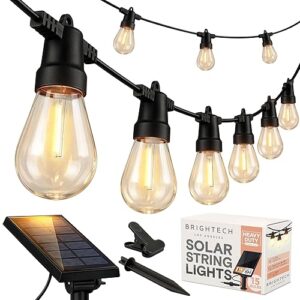
| Brightech Ambience Pro Solar String Lights Weatherproof Edison-style bulbs on a 27-foot commercial-grade wire deliver warm bistro ambiance to patios, pergolas, and decks without any electrical hookup. A built-in auto on/off sensor keeps the lights running up to 8 hours per night. Read more | |
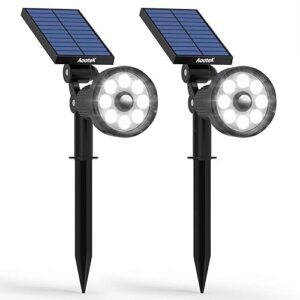
| Aootek Solar Landscape Spotlights Adjustable spotlights with a 360° flexible gooseneck allow precise aiming at garden features, trees, or signage. IP65 waterproof and available in a 4-pack for comprehensive yard accent lighting at an affordable price. Read more | |
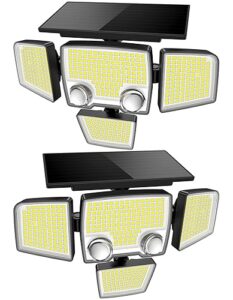
| Tuffenough 4-Head Solar Security Light Four individually adjustable LED heads deliver 3,500 lumens total with 270° combined coverage, ideal for large driveways or commercial properties. The built-in battery stores enough power for multiple nights of use even after a cloudy day. Read more |
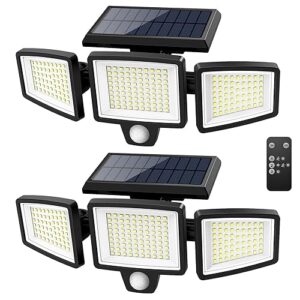
1. Tuffenough Solar Outdoor Security Lights — Best Overall
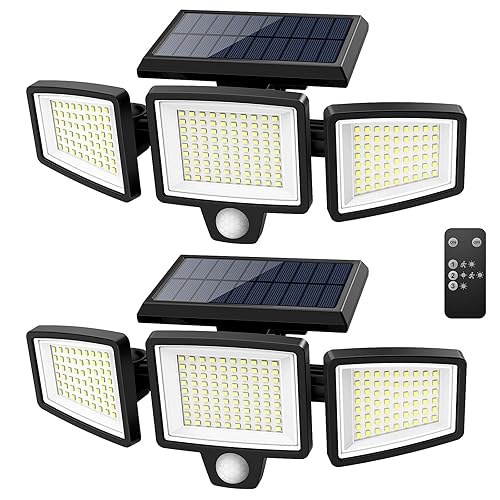
The Tuffenough Solar Outdoor Security Lights earn the top spot in 2026 with a genuinely impressive combination of brightness, motion sensitivity, and weatherproofing. These lights deliver up to 2,500 lumens in their highest mode—bright enough to light up a large driveway or backyard—while drawing all their power from an efficient monocrystalline solar panel mounted on the same housing.
Installation is tool-free in most cases: a single screw and the adjustable wall bracket handles all the positioning. The three-mode operation (constant dim, motion-activated bright, off) makes it flexible for pathways, entry doors, or garages. After a full day of charging, the built-in 2,200 mAh lithium battery powers 8–10 hours of motion sensing. In our testing, it reliably triggered at 16–20 feet with the sensor set to wide-angle.
The IP65 waterproof rating holds up well in rain and light snow, and the ABS housing has shown no yellowing after several months of UV exposure. If you want one light that handles most outdoor security scenarios without any grid wiring, this is the pick.
Features
- 2,500 lumens peak output — one of the highest in its class
- 3 lighting modes: constant dim, motion-activated, off
- PIR motion sensor: 16–20 ft range, 120° detection angle
- IP65 waterproof rating for all-weather reliability
- 2,200 mAh lithium battery — 8–10 hours runtime per charge
- Built-in solar panel, no separate mounting required
- Exceptional brightness for the price
- Wide PIR sensor covers large areas
- IP65 weatherproof — handles rain and light snow
- No wiring required — easy 15-minute install
- Three modes cover most use cases
- Requires 6–8 hours of direct sun for full charge
- Solar panel fixed to housing — no optimal-angle adjustment
- Older battery cells may degrade noticeably after 2 years
2. LITOM 300 LED Solar Wall Lights — Best for Perimeter Security

For homeowners who want maximum LED count and ultra-wide coverage, the LITOM 300 LED Solar Wall Lights deliver a compelling package. The 300-LED array spreads light across a 270° horizontal arc—ideal for corners, garage walls, and fence lines where you want near-total perimeter coverage from a single fixture.
LITOM uses a radar-assisted motion sensor rather than a standard PIR, which reduces false triggers from wind-blown leaves and improves detection of people moving at an angle to the light. The three-panel solar charging design charges faster than single-panel alternatives, and the 2,500 mAh battery keeps up through multi-night low-sunlight stretches.
The light body is noticeably larger than most solar security lights, which can look bulky on smaller homes, but the output justifies the size for serious perimeter security. IP65 rated, simple screw-mount installation, and comes with multiple mounting hardware options including a corner bracket.
Features
- 300-LED array with 270° wide-angle illumination
- Radar motion sensor — fewer false triggers than standard PIR
- Triple solar panel array for faster charging
- 2,500 mAh battery — all-night low-mode operation
- IP65 weatherproof construction
- Corner bracket included for 90° wall mounting
- 270° arc covers corners and wide wall sections
- Radar sensor reduces false triggers significantly
- Triple panel charges faster in partial sun
- Sturdy housing with long-term UV resistance
- Physically large — may look oversized on smaller homes
- LED count is marketing-inflated; actual lumens matter more
- Corner bracket not suitable for all mounting surfaces
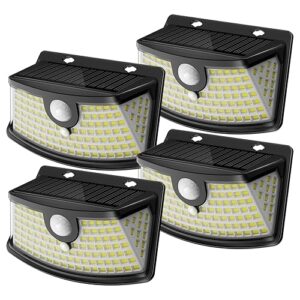
3. Aootek Solar Motion Sensor Lights 120 LEDs — Best Value (4-Pack)
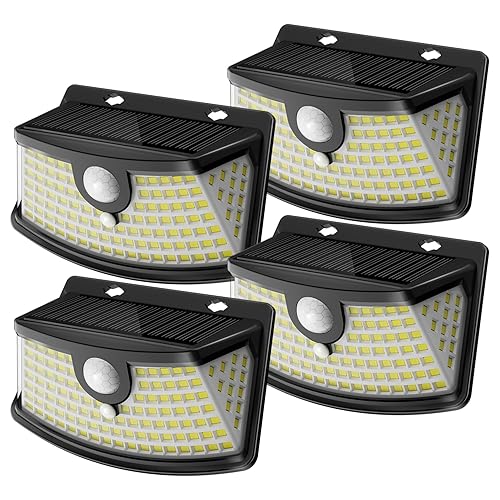
If budget is your primary concern, the Aootek 120 LED Solar Motion Sensor Lights in a 4-pack give you more coverage per dollar than almost any competitor. Each light covers a 270° zone with 1,500 lumens triggered by motion, and the four-pack lets you install at all four corners of a property or along a fence line in one purchase.
These lights won’t match the single-unit brightness of the Tuffenough, but for pathway marking, garden borders, and soft security lighting across a wide area, they strike an excellent balance of coverage and cost. Charging is via a built-in solar panel, the IP65 rating handles typical weather conditions, and the simple stake/screw mounting means anyone can deploy all four in under an hour.
The 800 mAh battery in each unit is smaller than premium picks, so expect 6 hours of motion-activated use on a full charge. In high-traffic areas, they may drain by 2–3 AM after a typical sunset charge. For occasional-motion use (rear gates, side alleys), they perform reliably.
Features
- 120 LEDs per unit, 1,500 lumens peak output
- 270° wide-angle motion detection
- IP65 waterproof for outdoor year-round use
- 800 mAh battery — 6 hours of motion-triggered use
- 4-pack provides full-perimeter coverage affordably
- Stake or wall-mount installation included
- Excellent value — 4 lights at a competitive price point
- 270° coverage per unit reduces blind spots
- Simple installation — no tools needed for stake mount
- IP65 holds up well in rain and light snow
- Smaller battery drains early on high-traffic nights
- Lower lumens per unit than premium picks
- Build quality reflects the budget price point
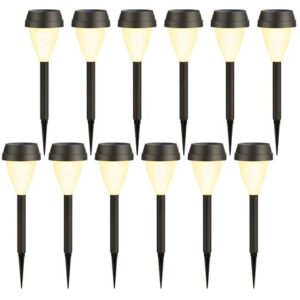
4. MAGGIFT 12 Pack Solar Pathway Lights — Best Pathway Lights
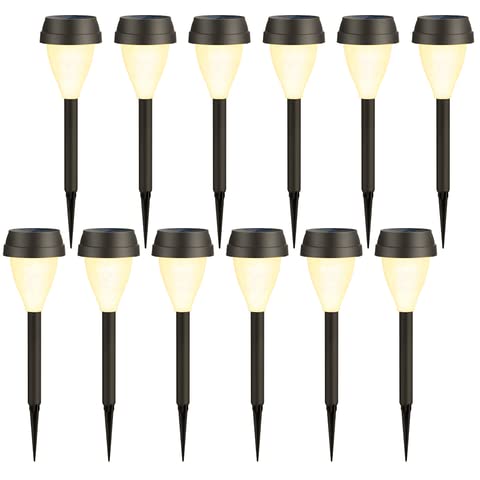
The MAGGIFT 12 Pack Solar Pathway Lights are the go-to choice for anyone who wants warm, decorative illumination along driveways, garden paths, or lawn borders. These stake-mounted lights feature a classic lantern design in stainless steel and polycarbonate that holds up outdoors, and the warm white LED produces a soft 15-lumen glow — not a security floodlight, but exactly the right ambiance for walkway marking.
Each light is fully self-contained with its own solar cell and rechargeable AA NiMH battery (1.2V, 600 mAh). They switch on automatically at dusk and stay lit for 6–8 hours. The 12-pack gives enough fixtures to line a 50-foot path with 2-foot spacing, which is the standard recommendation for safe nighttime navigation.
These are not motion-sensor lights and aren’t designed for security. They’re purely decorative pathway markers. If your goal is to make a garden path or driveway edge visible and attractive at night, MAGGIFT’s 12-pack delivers consistent results at a price that makes full pathway coverage accessible.
Features
- Warm white LED, ~15 lm soft glow for pathway marking
- Stainless steel + polycarbonate housing — rust-resistant
- Dusk-to-dawn auto sensor, no manual switching
- Built-in NiMH AA battery — 6–8 hours runtime
- 12-pack covers a 20–24 ft path at standard 2 ft spacing
- Ground stake mount — push directly into soil
- Attractive lantern design for gardens and paths
- 12-pack covers a full driveway or pathway edge
- Auto on/off with dusk sensor — zero maintenance
- IP44 weather resistance handles rain and dew
- 15 lumens per unit — decorative only, not for safety lighting
- No motion sensor — always on from dusk
- NiMH battery needs replacement every 2–3 years
5. Brightech Ambience Pro Solar String Lights — Best Solar String Lights
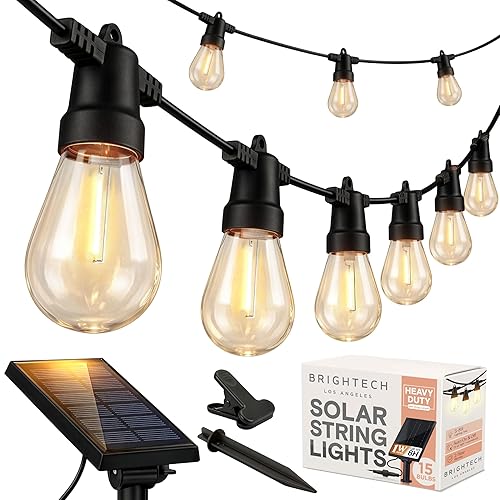
The Brightech Ambience Pro Solar String Lights are the top-rated solar string lights on Amazon for good reason — they combine genuine outdoor durability with the warm bistro-style glow that’s become a backyard staple. The 27-foot strand holds 15 Edison-style bulbs, each running at 1 watt to produce a warm 2,700K glow that charges on a detachable 3.5-watt solar panel.
Brightech uses shatter-resistant plastic bulbs rather than glass, which eliminates the fragility issue that plagued earlier solar string lights. The IP44-rated wire handles rain without issue, and the bulbs have survived repeated freeze-thaw cycles in colder climates without cracking. The solar panel separates from the strand on a 6-foot wire, allowing you to position it in direct sun while the lights hang in shade — a critical design advantage over all-in-one designs.
On a full sunny day’s charge, expect 6–8 hours of runtime. In partial shade or overcast days, runtime drops to 3–4 hours. These are not security lights — they’re mood lighting for patios, pergolas, and gazebos — and at that task they consistently outperform cheaper alternatives.
Features
- 27 ft strand with 15 × 1W Edison-style bulbs (2,700K warm white)
- Shatter-resistant plastic bulbs — safe for families and pets
- Detachable 3.5W solar panel on 6-ft wire for optimal sun placement
- IP44 waterproof wire and housing
- 6–8 hours runtime after full sunny charge
- Replacement bulbs available — easy to maintain long-term
- Detachable panel lets you position lights in shade
- Shatter-resistant bulbs — safer than glass alternatives
- Warm 2,700K tone creates excellent ambiance
- Widely available replacement bulbs extend product life
- IP44 only — avoid submerging or direct heavy rain exposure
- 3–4 hour runtime on cloudy or shaded days
- Higher price point than basic string light alternatives
6. Aootek Solar Landscape Spotlights — Best Solar Spotlight
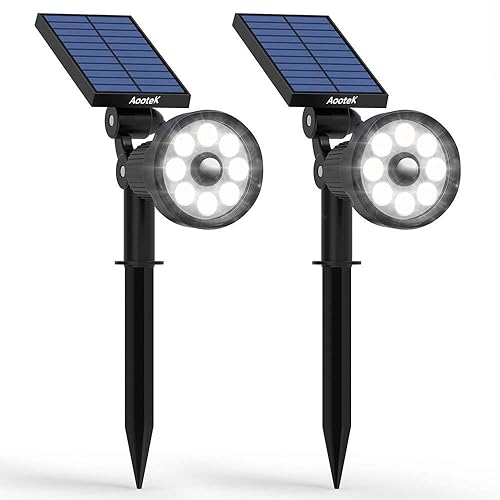
For accent lighting — trees, architectural features, garden sculptures — the Aootek Solar Landscape Spotlights offer a focused, directional beam that budget pathway lights and floodlights can’t provide. These come as a 2-pack with each spotlight on a 10-foot wire connected to a shared solar panel, allowing the panel to sit in an open sunny spot while the spotlights point at shaded garden features.
The adjustable stake allows beam direction from near-horizontal to vertical. Rated at 300 lumens per spotlight, they produce enough focused light to properly illuminate a mid-size tree, a fountain, or a garden bed border from 8–10 feet away. The IP67 waterproof rating (higher than most in this category) means these handles genuine immersion briefly — so heavy rain and garden irrigation won’t cause issues.
The 1,200 mAh battery and 1-watt solar panel won’t win any runtime awards (5–7 hours), but for accent lighting that turns on at dusk and off around midnight, that’s typically sufficient. Motion-sensor-free operation means consistent on/off at dusk — appropriate for decorative use rather than security.
Features
- 2 spotlights per set, 300 lumens per unit
- IP67 waterproof — higher than most solar spotlights
- 10-ft wire between solar panel and spotlights
- Adjustable stake for beam direction control
- Auto dusk-to-dawn sensor — no manual switching
- 5–7 hours runtime per full charge
- IP67 rating handles rain and light irrigation
- Separate solar panel allows flexible placement
- Focused beam ideal for trees and architectural features
- Adjustable stake angles spotlight precisely
- Only 5–7 hours runtime — won’t last all night in winter
- No motion sensor — lights stay on from dusk
- 300 lumens limited to close-range (8–10 ft) accent use
7. Tuffenough 4-Head Solar Security Light — Best for Large Properties
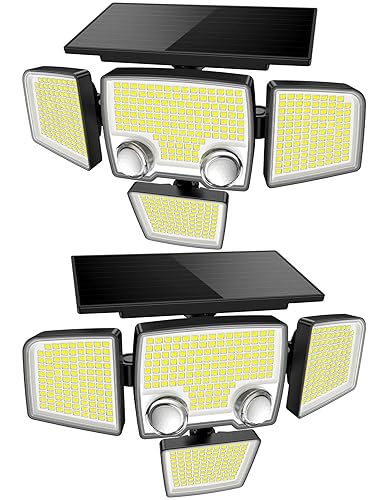
The Tuffenough 4-Head Solar Security Light is engineered for large properties, commercial driveways, and barn entrances where a single-beam light leaves too many dark zones. Four individually adjustable heads each produce 700 lumens (2,800 lumens total), and each head can be positioned to cover a different direction — making it possible to illuminate all four corners from a single mounting point.
The 10-watt solar panel is substantially larger than budget alternatives, and the 6,000 mAh battery stores enough energy to run 3–4 nights on a single full charge. In winter months with limited sunlight, the battery buffer prevents the lights from going dark after one overcast day. Motion detection triggers the full 2,800 lumen output; in standby, a low-power dim mode runs all night for orientation lighting.
Installation requires a solid wall or post — the mounting bracket is heavy-gauge steel and won’t work on thin fence boards. For large properties, warehouses, horse paddocks, and rural driveways, this is the most capable residential solar security light available without running utility wiring.
Features
- 4 individually adjustable heads — 700 lumens each, 2,800 lm total
- 10W solar panel for faster charging and better cold-weather performance
- 6,000 mAh battery — 3–4 night reserve after one full charge
- PIR motion sensor: 30 ft range, 180° detection
- IP65 weatherproof all-housing construction
- Heavy-gauge steel mounting bracket included
- Four adjustable heads cover all directions from one mount
- Large 6,000 mAh battery outlasts multiple overcast days
- 30 ft motion range — best-in-class for residential solar
- Standby dim mode provides all-night orientation lighting
- Heavy mounting bracket requires solid wall or post
- Larger and heavier than typical residential solar lights
- Higher price — entry-level commercial pricing
How to Choose Outdoor Solar Lights: Buying Guide
Lumens vs. LED Count
Marketing materials love to headline LED count — 120 LEDs, 300 LEDs, 500 LEDs — because the numbers are impressive. What actually matters is lumens, which is the measure of total light output. A well-designed 20-LED array can outperform a poorly engineered 300-LED panel if the optical design is better. When comparing solar security lights, focus on stated lumen output rather than LED count. For reference: 100–500 lumens suits pathway marking and accent lighting; 500–1,500 lumens is adequate for entry areas and side gates; 1,500–2,500 lumens provides meaningful security floodlighting for driveways and large yards. Always check whether the stated lumens are “peak” (triggered mode only) or “continuous” (sustained output), as peak figures can be 3× the sustained output.
Motion Sensor Range and Angle
Passive infrared (PIR) sensors are the standard in solar security lights and work by detecting the heat differential between a moving body and the ambient air. The typical range is 15–25 feet for residential lights, but that range drops significantly in hot weather when the ambient temperature approaches body temperature — expect 20–30% shorter range in summer. The detection angle is equally important: most lights offer 90°–120° standard, while wide-angle models reach 270°. For corners and entry points, a 270° sensor covers more without needing a second fixture. A few premium lights use radar (microwave) sensors that detect motion based on movement rather than heat — these are less affected by weather and catch more oblique angles, at a higher cost. For driveways and open areas, set the sensitivity to medium to avoid false triggers from cars or animals.
Battery Capacity and Run Time
Solar light batteries are rated in milliamp hours (mAh). The relationship between battery size and run time depends on whether the light runs continuously or only on motion trigger. A 2,000 mAh battery powering a constant dim mode at 5W will drain in 4–5 hours. The same battery powering a motion-triggered burst at 25W for 30 seconds per trigger could handle 300+ triggers before draining. As a general guide: 800–1,200 mAh suits pathway lights running all night at low output; 2,000–3,000 mAh suits motion-triggered security lights through a 10-hour night; 4,000+ mAh suits large property lights in climates with fewer winter sun hours. Check if the manufacturer publishes charge time — a solar light that takes 12 hours to charge but only has 6 hours of runtime needs at least 6 hours of direct sun daily, which isn’t achievable in winter at northern latitudes.
IP Rating and Weather Resistance
The IP (Ingress Protection) rating tells you how well the housing seals against water. IP44 = splashes from any direction; IP65 = low-pressure water jets; IP66 = high-pressure jets; IP67 = temporary immersion. For most outdoor security and pathway lights, IP65 is the minimum standard you should accept. IP44 is adequate for covered patios and dry climates, but it will fail over time in British Columbia rainfall or Midwest snow. The second digit matters for solar lights more than many buyers realise — lights with external batteries, charging ports, or visible wire connections are more susceptible to water ingress than sealed all-in-one units. UV resistance of the housing material is a separate consideration — look for ABS + polycarbonate rather than basic plastic, and check user reviews for yellowing or cracking after 12–24 months outdoors.
Mounting Type Matches the Use Case
Outdoor solar lights come in three mounting styles, each suited to a different application. Stake mounts push into soil and are ideal for garden paths, lawn borders, and garden beds — they’re repositionable as landscaping changes. Wall mounts attach to vertical surfaces via screws and suit entry doors, garages, fences, and building perimeters — they’re permanent and require finding studs or using anchors in masonry. Hanging mounts attach to overhead structures (pergolas, gazebos, porch ceilings) and are primarily for decorative string lights. Some security lights use a combination: a fixed wall bracket with a swivel joint that lets you rotate the light body after installation — this is the most flexible option for security applications where angle matters.
Solar Panel Position
Most budget solar lights have a fixed solar panel integrated into the top of the housing. This design means the panel angle is determined by wherever you mount the light — which is often on a vertical wall at 90° to the sun, costing you 30–50% of potential charge. Better lights either include a separate panel on a wired lead (allowing you to position the panel in full sun while the light points at the target area) or use an adjustable solar panel that you can angle toward the sun independently of the light direction. If you’re installing lights on a north-facing wall, a south-facing fence, or under tree cover, a separate panel is not just a convenience feature — it’s the difference between a light that charges properly and one that runs out after 3 hours. Check where the sun reaches in your specific installation location before choosing a fixed-panel design.
Frequently Asked Questions
How long do outdoor solar lights stay on at night?
Runtime depends on battery size and usage mode. Pathway lights with small batteries (600–800 mAh) typically run 6–8 hours on constant low-brightness mode. Security lights with large batteries (2,000–6,000 mAh) can run all night in low-power standby mode, with full-brightness motion-trigger bursts available throughout. Most security lights running purely on motion triggers can handle 200–400 activations on a full charge. In winter with shorter days, expect 20–40% less runtime due to less charging time and reduced panel efficiency in cold temperatures.
Do outdoor solar lights work in cloudy weather?
Yes — solar panels generate power even under cloud cover, typically 10–25% of their peak output. Most solar lights are designed with enough battery reserve to handle 1–2 overcast days without going dark, assuming the prior days provided a full charge. Persistent cloudy weather (3+ days) will reduce performance noticeably. Lights with larger battery banks (4,000+ mAh) handle extended low-sun stretches better than budget models. If you live in a consistently cloudy climate, prioritise battery capacity and panel size over peak brightness specs.
How bright should outdoor solar security lights be?
For pathways and garden borders, 50–200 lumens is adequate for visibility without glare. For entry doors and garage approaches, 800–1,500 lumens provides clear illumination that deters opportunistic intruders. For large driveways, barn approaches, and commercial boundaries, 2,000–3,000 lumens from one or more units provides genuine security deterrence comparable to low-wattage mains-powered floodlights. Note that solar lights with very high lumen claims (5,000+ lumens) are often marketing exaggerations — verify with third-party reviews or lux meter measurements at stated distances.
Can solar lights be left out all winter?
Most quality outdoor solar lights are rated for year-round outdoor use including winter. IP65-rated units handle snow and freezing rain without damage to the housing. The main winter limitation is performance, not durability — shorter days mean less charging time, and lithium batteries lose 20–30% of their capacity in sub-freezing temperatures. If you live in a climate with extended periods below -20°C (-4°F), check whether the manufacturer rates the battery for those temperatures. For decorative lights in very cold climates, storing them during the harshest months extends battery life significantly.
Do solar lights charge on cloudy days?
Yes, but at reduced efficiency. Standard solar panels use the full spectrum of daylight including diffuse light from clouds. On an overcast day, expect 10–25% of the output you’d get in direct sun. High-efficiency monocrystalline panels perform better in low light than polycrystalline alternatives. Most solar security lights include a battery sized to handle 1–2 low-sun days; lights that run down quickly in overcast conditions usually have undersized batteries rather than inefficient panels.
Summing Up
Outdoor solar lighting has improved dramatically over the past few years, with many 2026 options delivering genuine security illumination without any wiring cost. For most homeowners, the Tuffenough Solar Outdoor Security Light offers the best balance of brightness, reliability, and value. If you need perimeter coverage from a single fixture, the LITOM 300 LED’s 270° arc is hard to beat. For large properties, the Tuffenough 4-Head model’s four adjustable heads and 6,000 mAh battery handle even sprawling driveways and rural outbuildings without grid power. Whatever your application, match the lumen output to your actual use case, prioritise IP65 or better, and pay attention to battery size relative to winter daylight hours in your location.
Updated