
Our blog is reader-supported. When you buy through links on our site, we may earn an affiliate commission. Thank you for your support!
A solar power bank is one of the most useful pieces of gear you can own for camping, travel, or emergency preparedness. It gives you a portable battery you can top up using sunlight — so even when there’s no outlet in sight, your phone, tablet, or headlamp stays charged. But getting the most out of one takes a bit more than just leaving it in the sun.
This guide covers everything: how to use a solar power bank correctly, the best ways to charge it, how long charging actually takes, and how to troubleshoot the most common problems.
What Is a Solar Power Bank?
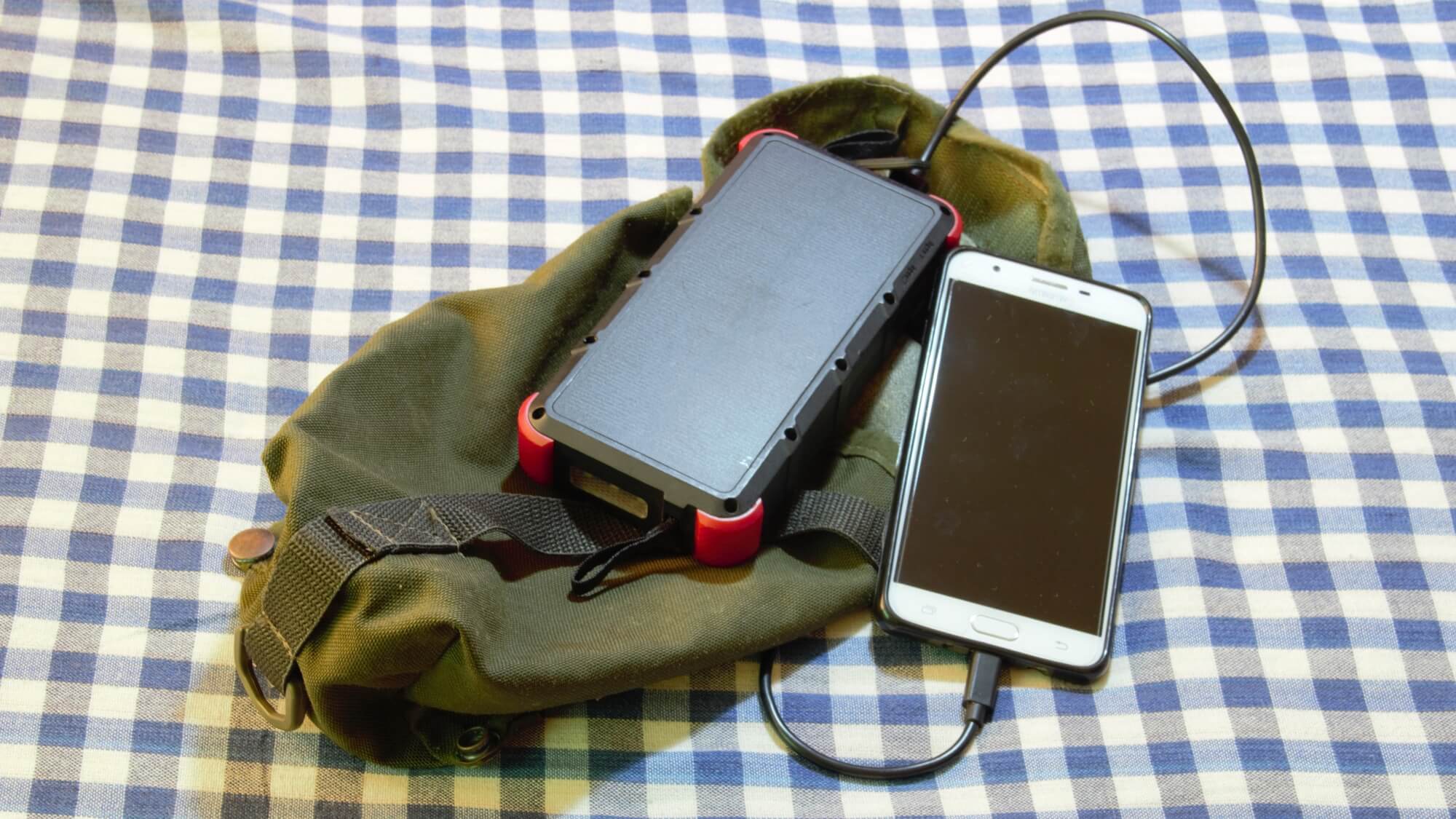
A solar power bank is a portable battery pack with one or more built-in photovoltaic (PV) panels on the surface. The solar panel converts sunlight into electricity and stores it in the internal lithium battery. You then discharge that stored energy through USB ports to charge phones, tablets, GPS devices, headlamps, and other low-power electronics.
Most consumer solar power banks range from 10,000 mAh to 30,000 mAh in capacity, with panel sizes between 2W and 10W. The key distinction from a regular power bank is that you have two ways to recharge it: plugging into a wall outlet (or USB source) or setting it in sunlight.
A few important things to understand upfront:
- The built-in solar panel is a backup charging method, not a primary one. A 5W panel on a 20,000 mAh bank takes days to fully charge from flat via solar alone. USB charging is always faster.
- Solar charging is best for maintaining charge or topping up during outdoor use — not for going from 0% to 100% quickly.
- Real-world solar output is 30–50% of rated wattage due to panel angle, cloud cover, dust, and heat losses.
How to Use a Solar Power Bank: Step by Step
Step 1: Fully Charge It Before First Use
Before taking your solar power bank on a trip, charge it fully via USB. Plug the included Micro-USB, USB-C, or Lightning cable (depending on model) into a wall adapter and let it charge until the LED indicators show full. This initial full charge is important for battery conditioning and gives you a baseline to work from. Most banks take 6–10 hours to fully charge from flat via USB wall charger.
Step 2: Understand the LED Indicator System
Every solar power bank uses LED lights to communicate charge level. The number of LEDs and what they mean varies by brand, but the general pattern is:
- 4 LEDs solid: 76–100% charge
- 3 LEDs solid: 51–75% charge
- 2 LEDs solid: 26–50% charge
- 1 LED solid or blinking: 0–25% charge (recharge soon)
Press the power button once to check current charge level. On most models, the LEDs display for 5–10 seconds then go dark to save power. If no LEDs light up at all, the battery is fully depleted and needs to be charged before use.
Step 3: Charge Your Devices
To charge a phone or other device:
- Press the power button on the power bank to activate the output
- Connect your device via USB-A to Lightning, USB-A to USB-C, or USB-C to USB-C cable (depending on your device)
- Charging starts automatically — you’ll see the LEDs begin slowly blinking to indicate active discharge
- When your device is full and disconnected, most power banks auto-shut-off within 30 seconds to conserve battery
If your power bank has multiple USB ports, you can charge two or three devices simultaneously, though this splits the available output and may slow charging speeds on each device.
Step 4: Charge the Power Bank via Solar
When you’re outdoors and want to top up using sunlight:
- Place the power bank with its solar panel facing directly toward the sun
- Aim for a perpendicular angle — the panel should be as close to 90° to the sun’s rays as possible
- Most power banks begin solar charging automatically when the panel receives sufficient light — no button press needed
- An LED or indicator light typically blinks slowly to confirm solar charging is active
- Attach it to your backpack, tent, or dashboard using the included carabiner or loops while you’re moving
Key tip: Direct midday sun between 10 a.m. and 2 p.m. produces the most output. Avoid placing the bank flat on a reflective surface like sand or snow where heat can build up — high temperatures reduce charging efficiency and accelerate battery wear.
Step 5: Charge the Power Bank via USB
For the fastest recharge, plug the power bank into a wall outlet using a USB wall adapter. Use the port labeled “IN” or “DC IN” — some banks use a dedicated DC barrel connector rather than USB for input. Always check which port is for input and which is for output before plugging in.
You can also charge from a laptop, car USB port, or portable generator — anything that provides a USB or compatible DC output. Wall charging is 5–15× faster than solar charging for the same capacity bank.
How Long Does It Take to Charge a Solar Power Bank?
Charging time depends heavily on two factors: the capacity of the battery and the method used to charge it.
Charging Time by Method
| Capacity | USB Wall Charger (5W) | USB Wall Charger (18W PD) | Solar (5W panel, ideal) | Solar (real-world, 2–3W) |
|---|---|---|---|---|
| 10,000 mAh | ~4–5 hours | ~2–2.5 hours | ~8–10 hours | 15–25 hours |
| 20,000 mAh | ~8–10 hours | ~4–5 hours | ~16–20 hours | 30–50 hours |
| 26,800 mAh | ~11–13 hours | ~5–6 hours | ~20–25 hours | 40–65 hours |
The “real-world solar” column accounts for the fact that most built-in panels deliver 2–3W of usable power rather than their rated maximum. Cloud cover, panel angle, temperature, and conversion losses all reduce output. A 20,000 mAh bank charged purely by solar in real conditions can take 30–50 hours of direct sun exposure — spread over many days outdoors.
This is why solar power banks are best used in a hybrid mode: charge to full at home via USB before departure, then use solar to extend battery life and maintain charge during outdoor activities.
How to Maximize Solar Charging Performance
Getting the most from the built-in solar panel requires some intentional positioning:
- Track the sun: Adjust the panel angle every couple of hours as the sun moves. A 10° deviation from perpendicular costs roughly 1.5% output; 30° costs about 13%.
- Keep the panel clean: Fingerprints, dust, and sunscreen residue significantly reduce output. Wipe the panel gently with a soft, dry cloth before extended solar charging sessions.
- Avoid hot surfaces: Don’t leave the bank on black car dashboards or metal surfaces in direct sun — heat above 45°C reduces both charging efficiency and long-term battery lifespan.
- Use partial shade strategically: If you’re in dappled shade (under a tree), position the bank so the panel has the clearest path to sky without the rest of the unit overheating.
- Don’t charge devices while solar charging simultaneously unless your bank specifically supports passthrough charging — some cheaper models stop solar input when a device is connected to the output port.
How Many Phone Charges Can You Get?
A useful rule of thumb: multiply the power bank capacity (mAh) by 0.85 (to account for conversion losses), then divide by your phone’s battery capacity.
For example, a 20,000 mAh bank charges a standard 4,000 mAh phone battery approximately 4–5 times. A 10,000 mAh bank gives you roughly 2 full charges of the same phone.
Keep in mind that USB cables, connector inefficiencies, and the phone’s charging circuit all introduce small losses — the 0.85 multiplier accounts for these in typical conditions.
Troubleshooting Common Solar Power Bank Problems
The solar panel isn’t charging the battery
First, confirm you’re in direct sunlight — not shade or indoors near a window. Most built-in panels require at least 1,000 lux to begin charging, which only direct outdoor sunlight reliably provides. If you’re in bright sun and still seeing no charging indicator, the panel may be dirty, damaged, or the bank’s charge controller may have a fault. Try cleaning the panel surface and ensuring the panel is angled directly at the sun.
The battery drains very fast
Li-ion and LiPo batteries degrade with age and use. After 300–500 charge cycles, capacity can drop by 20–30%. If your bank holds less charge than it used to, the cells are aging normally — replacement is the solution for older banks. Storing a power bank at 0% for extended periods also permanently damages lithium cells; always store at 40–60% charge.
The power bank won’t turn on
A completely depleted battery sometimes needs a “trickle charge” to wake up. Connect it to a USB wall adapter and wait 15–30 minutes before pressing the power button. If it still doesn’t respond, try a different cable or adapter — faulty cables are one of the most common culprits.
Devices charge very slowly
Check that you’re using the correct output port. Many banks have a standard 1A port and a higher-output 2A or 2.4A port — using the low-power port for a large tablet will feel very slow. Also check whether your bank supports Quick Charge (QC) or USB Power Delivery (PD) and whether your cable and device support the same standard.
Solar Power Bank Safety Tips
- Don’t leave it charging unattended in a hot car. Interior temps can exceed 60°C (140°F) in summer, which damages lithium batteries and can in rare cases cause thermal runaway.
- Use the original cable or a high-quality replacement. Cheap cables with insufficient wire gauge can cause heat buildup and slow charging.
- Don’t expose it to rain or submersion unless your specific model is rated IPX4 or higher for water resistance.
- Store at room temperature (15–25°C / 60–77°F). Cold below 0°C (32°F) temporarily reduces capacity; heat above 40°C (104°F) causes permanent degradation.
When Solar Power Banks Make the Most Sense
A solar power bank is ideal when:
- You’re on multi-day camping, backpacking, or hiking trips where outlets aren’t available
- You need an emergency backup that can self-recharge without grid power
- You’re traveling internationally and want to reduce dependency on adapters and outlets
- You’re on the water (kayaking, sailing) or in a vehicle for extended periods
For everyday urban use where you always have access to outlets, a standard (non-solar) power bank with higher capacity per dollar is typically more practical. The solar panel adds weight, thickness, and cost — its value is specifically in situations where grid access is absent or unreliable.
Frequently Asked Questions
Can I charge my phone while charging the solar power bank at the same time?
Some solar power banks support passthrough charging — powering a connected device while simultaneously accepting solar or USB input. However, many budget models don’t support this and will stop accepting input while discharging. Check your model’s specifications or test it before relying on this capability in the field.
How long should a solar power bank last?
The internal lithium battery typically delivers 300–500 full charge cycles before capacity degrades noticeably. With normal use (1–2 full cycles per week), this translates to 3–5 years of useful life. The solar panel itself can last 10+ years but doesn’t degrade gracefully — output tends to decline gradually over time from UV exposure and surface wear.
Can I leave my solar power bank in the sun all day to charge?
For a few hours, yes. But prolonged exposure to intense midday sun can heat the unit above safe operating temperature. Most power banks have built-in thermal protection that pauses charging when the internal temperature gets too high — but habitually leaving them in extreme heat shortens battery life. Aim for morning or late afternoon sun, or provide some airflow around the unit.
Why does my solar power bank show charging but the battery percentage doesn’t increase?
Solar charging slowly enough just offsets self-discharge — the battery stays flat rather than growing. This happens when the panel’s output is very low (overcast, poor angle, dirty panel). The “charging” LED indicates some current is flowing in, but it’s not enough to overcome the battery’s resting drain. Position the panel more directly at the sun or switch to USB charging.
What size solar power bank do I need for camping?
A 20,000 mAh bank is the practical sweet spot for a 3–5 day camping trip with one smartphone. It gives you 4–5 full phone charges, is manageable in weight (around 400–450g), and the solar panel provides enough daily top-up in good weather to extend trips further. For groups or multiple devices, step up to 26,800 mAh.
Do solar power banks work in cloudy weather?
Yes, but at reduced efficiency. Diffuse light on an overcast day provides roughly 10–25% of clear-sky output. A panel that delivers 3W in direct sun might produce 0.3–0.75W on a cloudy day. That’s enough to very slowly trickle charge, but not enough to rely on as a primary charging source. Always start an outdoor trip with a full charge from the wall.
Is it worth paying more for a higher-watt solar panel on a power bank?
Yes, with a caveat. A larger panel (7W vs 3W) does charge noticeably faster in ideal conditions. But the panel is physically larger, adding weight and bulk. For backpacking, the weight-to-benefit ratio of a large panel on a small bank is often poor. A better strategy for serious off-grid use is a separate, dedicated foldable solar panel (10–60W) connected to a standard high-capacity power bank via MPPT charge controller — this gives dramatically faster solar charging with more efficient use of panel area.
Summing Up
Solar power banks are most valuable as hybrid devices: charge to full at home before any trip, then use the built-in solar panel to extend that charge over multiple days outdoors. Don’t expect the panel to take you from 0% to full — treat it as a slow, free top-up source that keeps you from running dry.
Keep the panel clean and angled correctly, store the bank at partial charge when not in use, and use USB wall charging for the heavy lifting. With the right habits, a good solar power bank will reliably serve you across hundreds of camping trips and emergencies.
Thinking about a larger solar setup for your home — backup power, grid-tied panels, or a whole-home battery system? Call (855) 427-0058 for a free consultation. Our network of NABCEP-certified installers covers all 50 states.
Updated