
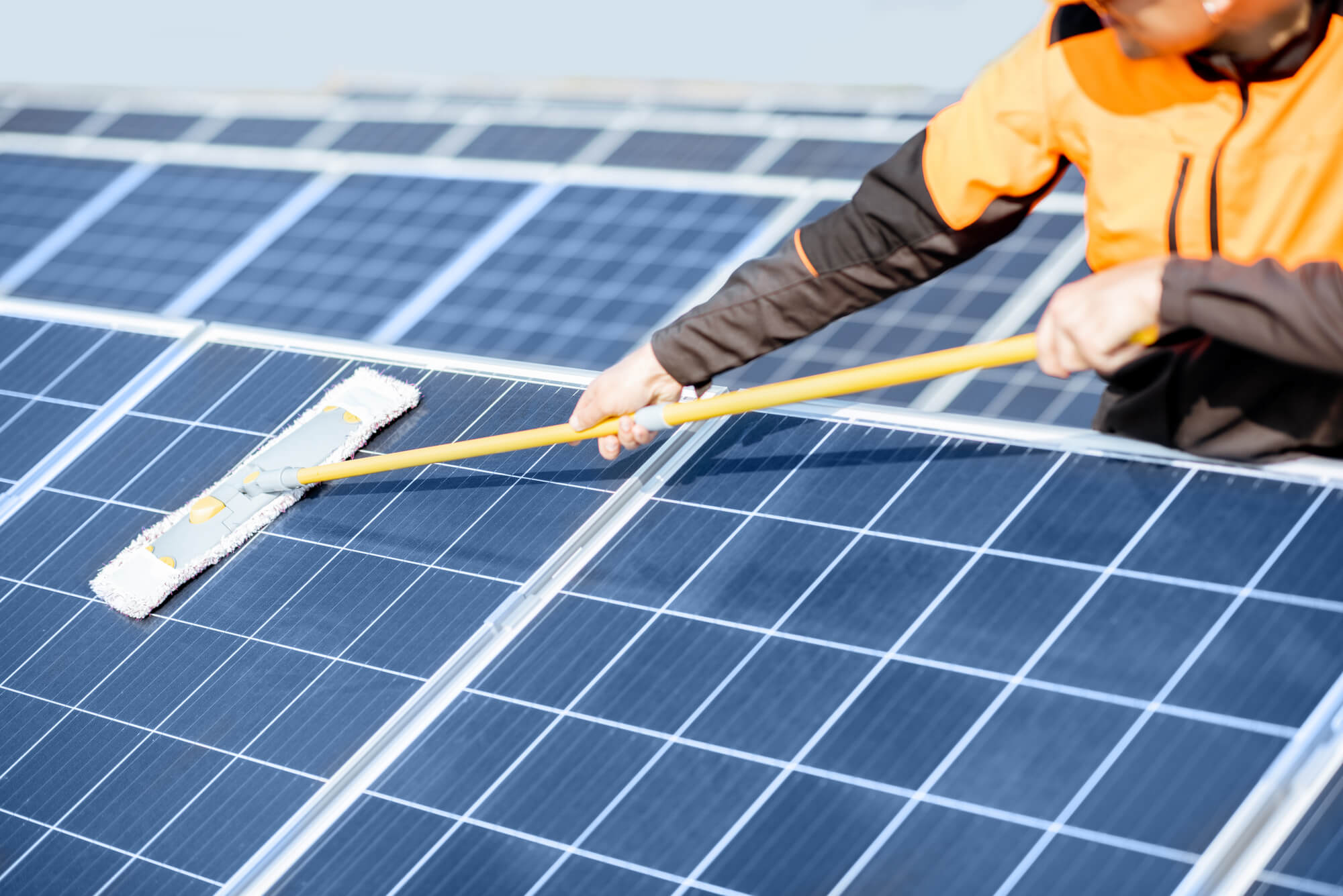
Solar panels require minimal maintenance, but regular cleaning is one task that significantly impacts long-term performance. Dust, pollen, bird droppings, leaves, and other debris accumulate on panel surfaces, reducing the amount of sunlight reaching the photovoltaic cells. In dry climates or regions without frequent rain, soiling can reduce output by 3-5% annually, and in extreme cases (desert dust storms, heavy bird activity), losses may reach 10-20%. Understanding how often to clean, the safest methods, and when to hire professionals helps you maintain optimal system performance.
This guide covers the impact of soiling on solar output, cleaning frequency recommendations for different climates, DIY cleaning methods, professional cleaning services, and safety considerations. Whether you’re maintaining a residential rooftop array or a larger ground-mounted system, this article provides practical guidance to keep your panels performing at peak efficiency.
Impact of Soiling on Solar Panel Output
Soiling is the accumulation of dust, dirt, and other particles on panel surfaces that block or scatter light before it reaches cells. The impact varies dramatically by climate and season.
Arid and Semi-Arid Climates (Southwest US, California deserts): These regions experience minimal rainfall and high dust levels. Soiling accumulates rapidly, reducing output 3-5% per month if uncleaned. Annual soiling loss without cleaning can exceed 25-30%.
Humid and Rainy Climates (Pacific Northwest, Southeast): Frequent rain naturally cleans panels, limiting soiling to 2-3% annually. Unless birds frequent your roof or deciduous trees shed leaves, cleaning may be unnecessary.
Agricultural Areas: Farming dust, pollen, and fertilizer spray accelerate soiling. Farms with lots of animal activity experience more bird droppings. Soiling can reach 5-10% annually.
Coastal Areas: Salt spray and sea salt deposits create harder-to-remove soiling. Proximity to ocean increases soiling 2-3 times compared to inland areas of similar rainfall.
Industrial Areas: Air pollution, factory emissions, and particulates from nearby operations accelerate soiling. Manufacturing facilities and coal-fired power plants downwind can create significant dust.
Over 25-30 years of system life, unmanaged soiling can cost $2,000-5,000 in lost electricity generation for a residential system. This makes cleaning economically worthwhile even with professional service costs.
Understanding Different Types of Soiling
Dust and Pollen: Fine particles easily blown or washed away by rain. These create the most common, temporary soiling. In dry climates, dust accumulates in weeks; in rainy climates, rain removes it regularly.
Bird Droppings: Highly corrosive and difficult to remove. Bird droppings contain uric acid that damages glass and can etch coatings. A single large bird dropping can shade a cell, reducing output 1-3% (depending on coverage). Bird droppings stain panels and may require professional removal with specialized cleaners.
Tree Leaves and Debris: Leaves, twigs, and seeds accumulate on ground-mounted and low-pitch roof systems, blocking sunlight directly. Leaves can also trap moisture, promoting algae and mold growth. Tree debris is particularly problematic in fall and spring.
Algae and Mold: In humid or shaded areas, biological growth may develop on panels. Algae and mold create green/black discoloration, reducing light transmission. Biological growth is more likely in areas with poor drainage (water pooling) and high humidity. Some algae can degrade panel coatings over time.
Salt Deposits: Coastal areas experience salt spray that deposits salt crystals on panels. Salt is corrosive and reduces panel lifespan if not removed. Salt deposits require fresh water rinsing; salt water or vinegar solutions won’t remove them.
Mineral Deposits: Hard water (high calcium and magnesium) leaves white mineral deposits when water evaporates. These deposits reduce light transmission and are difficult to remove. Mineral deposits are problematic in arid regions where irrigation water is hard.

How Often Should You Clean Solar Panels
Cleaning frequency depends on climate, location, and seasonal factors. Here’s guidance for different regions:
Desert and Arid Climates: Clean 1-2 times monthly during dry season (May-September), 3-4 times annually during off-season. The rapid dust accumulation in desert climates makes frequent cleaning necessary to maintain output.
Rainy Climates: Clean annually or semi-annually in spring and fall. Regular rainfall provides natural cleaning, making professional cleaning necessary only occasionally unless specific issues (bird activity, tree debris) exist.
Agricultural Areas: Clean 2-3 times annually, particularly before and after major growing seasons. Additional cleaning after dust storms is recommended.
Coastal Areas: Clean 2-3 times annually to remove salt deposits. After coastal storms, additional cleaning may be necessary.
Temperate/Moderate Climates: Clean 1-2 times annually—spring (after winter) and fall. Seasonal cleaning before/after peak seasons (summer for solar, spring/summer for cooling demand) optimizes output during high-generation periods.
A practical approach: monitor system output via your monitoring app. If output drops 15-20% below expected (after accounting for weather), schedule cleaning. If output remains at 90%+ of expected, cleaning may be unnecessary.
DIY Solar Panel Cleaning: Methods and Safety
Safety First
Roof work is dangerous. Falls are the leading cause of home injuries. If your array is roof-mounted at height, hiring professionals is safer than DIY. For low-pitch roofs, ground-mounted systems, or roof-mounted systems accessible from a stable roof deck, DIY is safer. Wear non-slip footwear, use roof safety harnesses or anchor points if working at height, and never work during wet conditions or high winds.
Basic Supplies
You need:
- Soft-bristle brush or sponge mop (never use hard bristles or pressure washers—these damage coatings)
- Deionized or distilled water (soft water without minerals)
- Mild soap (biodegradable dish soap, 1:10 dilution with water)
- Bucket
- Safety equipment: non-slip shoes, harness if on roof, eye protection
Cleaning Steps
1. Turn Off Your System: For safety, shut down your inverter before cleaning. This prevents electrical shock risk during wet cleaning. Most inverters have a simple on/off switch.
2. Prepare Solution: Mix mild soap and deionized water in a bucket. Deionized water is critical—tap water contains minerals (calcium, magnesium) that leave residue when dry. Buy deionized water at grocery stores (2-3 gallons for typical residential system costs $2-4), or use distilled water (more expensive but works similarly).
3. Wet the Panels: Use a garden hose to lightly wet panels. This rinses loose dust before scrubbing.
4. Scrub Gently: Use soft-bristle brush or sponge mop dipped in soap solution. Scrub gently, applying minimal pressure. Focus on heavily soiled areas or stubborn spots (bird droppings, mineral deposits).
5. Rinse Thoroughly: Rinse panels thoroughly with deionized water. Ensure all soap residue is removed—soap buildup reduces light transmission as much as dirt.
6. Dry (Optional): Use a soft cloth or chamois to dry panels, preventing mineral deposits from forming as water evaporates. This is especially important in hard-water areas.
7. Restart System: Once panels are dry, restart your inverter and verify system is generating normally.
Special Challenges
Bird Droppings: Stubborn droppings may require soaking (apply soap solution, let sit 5-10 minutes, then scrub). Use specialized bird dropping cleaners designed for solar panels if DIY soap doesn’t work.
Mineral Deposits: Mineral deposits (white crusty buildup) require deionized water rinses. For heavy deposits, a 1:1 solution of white vinegar and distilled water can dissolve deposits, but always rinse thoroughly afterward to remove vinegar residue.
Algae/Mold: Algae requires gentle scrubbing and rinses. Don’t use bleach (too harsh, may damage panel coatings). A mild algae cleaner safe for glass works, or mechanical removal via scrubbing.
Professional Solar Panel Cleaning Services
Professional cleaners have advantages over DIY:
Safety: Professionals are trained and equipped for roof work, using harnesses, fall protection, and insurance. They eliminate fall risk for homeowners.
Equipment: Pros use specialized equipment: soft-bristle brushes, automated systems for large arrays, deionized water systems, and solutions designed for solar panels.
Thoroughness: Professional cleaners inspect for damage while cleaning, identifying cracks, loose components, or wiring issues early.
Results: Professional cleaning often improves output more than DIY due to thoroughness and proper techniques.
Cost: Professional cleaning costs $100-300 for residential systems, or $0.05-0.15 per watt for large arrays. For a 6 kW system, expect $150-200 per cleaning. Annual cleaning (1-2 times) costs $300-400 annually.
Frequency: Professionals typically recommend annual or semi-annual cleaning depending on location. Some recommend quarterly cleaning in very dry climates.
ROI Analysis: If cleaning costs $200 and improves output by 4% (3-5% typical gain), annual electricity improvement worth $30-80 is generated. Annual cleaning at $200 may not pay off in moderate climates, but in arid regions with 5-10% soiling loss, professional cleaning at 1-2 times annually makes economic sense.
Finding Professional Cleaners: Search for “solar panel cleaning” in your area, or ask your solar installer for recommendations. Verify insurance, licensing, and reviews. Some solar companies offer cleaning services; others partner with cleaning contractors.

Automated Cleaning Systems
For large commercial or utility-scale installations, automated cleaning systems are economical. These systems use robotic devices or water jets to automatically clean panels on a schedule.
Robotic Cleaners: Small robots traverse panels, using brushes and water to clean. They operate on a timer (e.g., monthly) and cost $20,000-50,000+ for large arrays. For residential systems, upfront cost is prohibitive, but for 100+ kW commercial arrays, per-watt cost is reasonable.
Water Spray Systems: Pressurized water systems automatically spray panels during off-peak hours, washing dust away. These systems cost $10,000-30,000 and require water supply and drainage infrastructure. They’re common in desert utility-scale installations where water can be recycled.
Manual Cleaning with Infrastructure: Some installations have roof-mounted cleaning stations allowing workers safe access. This improves cleaning frequency and safety compared to standard roof cleaning.
For residential systems, automated cleaning is not cost-effective. Professional or DIY cleaning 1-2 times annually provides better ROI.
Preventive Measures to Reduce Soiling
Tree Management: Trim trees near panels to reduce leaf debris and shade. Clear sightlines from panels to horizon improve air flow, reducing dust accumulation and promoting evaporative cooling (keeping panels cooler, improving efficiency).
Bird Deterrents: If bird activity is significant, install bird netting or spikes under panels (for ground-mounted systems) to discourage roosting. Electric bird deterrents are controversial and may harm birds; check local wildlife regulations. Some installers use motion-activated sprinklers or reflective tape (limited effectiveness).
Roof Pitch and Orientation: Steeper roofs (8:12 pitch or greater) shed rain and debris naturally, requiring less cleaning. Roof orientation can reduce water pooling and stagnation—south-facing roofs in Northern Hemisphere naturally shed water better than north-facing.
Drainage Design: Ensure panel mounting allows water drainage—pooled water promotes mineral buildup and algae. Professional installers design racking to prevent standing water.
Panel Material Selection: Some premium panels use hydrophobic (water-repelling) coatings that reduce dust adhesion and promote water beading/shedding. These panels may reduce soiling by 1-2% compared to standard panels, but cost more.
Frequently Asked Questions
How much do solar panels lose output when dirty?
Output loss from soiling varies by climate: 2-3% annually in rainy regions, 3-5% in moderate climates, and 10-20% or more in arid regions without regular rain. On any given day, heavily soiled panels may lose 5-10% output. Cleaning typically restores 3-5% lost output, making cleaning economical in arid climates but marginal in rainy regions.
Is it safe to clean solar panels yourself?
DIY cleaning is safe if your array is easily accessible and low-height (ground-mounted or low-pitch roof). Roof work at height is dangerous; falls are the leading cause of home injuries. If your array requires a ladder or working at height, hire professionals. For accessible arrays, use soft brushes, deionized water, and mild soap. Turn off your inverter before cleaning to prevent electrical hazards.
Can I use a pressure washer to clean solar panels?
No. Pressure washers damage panel coatings and can crack glass if water pressure is high. The force of high-pressure water can also dislodge internal components. Use only soft-bristle brushes and low-pressure water from a garden hose. Never use pressure washers on solar panels.
What’s the best water for cleaning solar panels?
Deionized or distilled water is best. Tap water contains minerals (calcium, magnesium) that leave white deposits when water evaporates. These mineral deposits reduce light transmission and are difficult to remove. Buy deionized water at grocery stores or use distilled water. For rinsing, deionized water is essential; tap water can be used for initial rinsing if followed by deionized water rinse.
When is the best time to clean solar panels?
Clean early morning or late afternoon when panels are cool. Avoid cleaning in direct sunlight (extreme heat stresses the glass and causes water spots). Avoid cleaning during rain or when rain is forecast (water will soil clean panels). Cloudy mornings are ideal for cleaning. In dry climates, monthly cleaning in dry season; in rainy climates, annual spring and fall cleaning is typical.
How much does professional solar panel cleaning cost?
Professional cleaning costs $100-300 per visit for residential systems, or $0.05-0.15 per watt for large arrays. A 6 kW system typically costs $150-250. Annual cleaning (1-2 times) costs $300-400 yearly. For commercial arrays, automated systems cost $20,000-50,000 upfront but are cost-effective for large installations due to frequent cleaning benefits.
Do solar panels clean themselves?
Rainfall helps clean panels naturally, but rain doesn’t remove stubborn soiling (bird droppings, mineral deposits) or all dust. In rainy climates, natural cleaning may be sufficient for acceptable output. In arid climates, rain is infrequent, and active cleaning is necessary. Even in rainy regions, periodic manual cleaning optimizes output during dry seasons.
Summing Up
Keeping solar panels clean is one of the highest-ROI maintenance tasks available to homeowners. In most of the US, rainfall does most of the work — panels in areas with regular rain (Pacific Northwest, Southeast, Midwest) rarely need manual cleaning. In dry, dusty climates (Southwest, California Central Valley, Arizona), soiling builds up faster and panels should be cleaned 2–4 times per year; studies show 15–25% production loss from soiling in these regions between cleanings.
The right method: rinse with a garden hose or low-pressure sprayer in early morning or evening when panels are cool. Use a soft brush for stubborn deposits (bird droppings, pollen film). Never use abrasive pads, harsh detergents, or high-pressure washers — they scratch coatings and can cause microfractures. Don’t walk on panels. If your panels are inaccessible from the ground, hire a professional solar cleaning service ($100–$200 for a standard home system) or install panel-level monitoring to confirm whether cleaning actually improves output before committing to a regular schedule.
If you’re considering solar for your home, call (855) 427-0058 for a free, no-obligation quote from vetted local installers across all 50 states.
Updated